Logmaster

Logmaster is an NHVR-approved Electronic Work Diary (EWD) and fatigue management platform for heavy vehicle operators.
Integration Overview

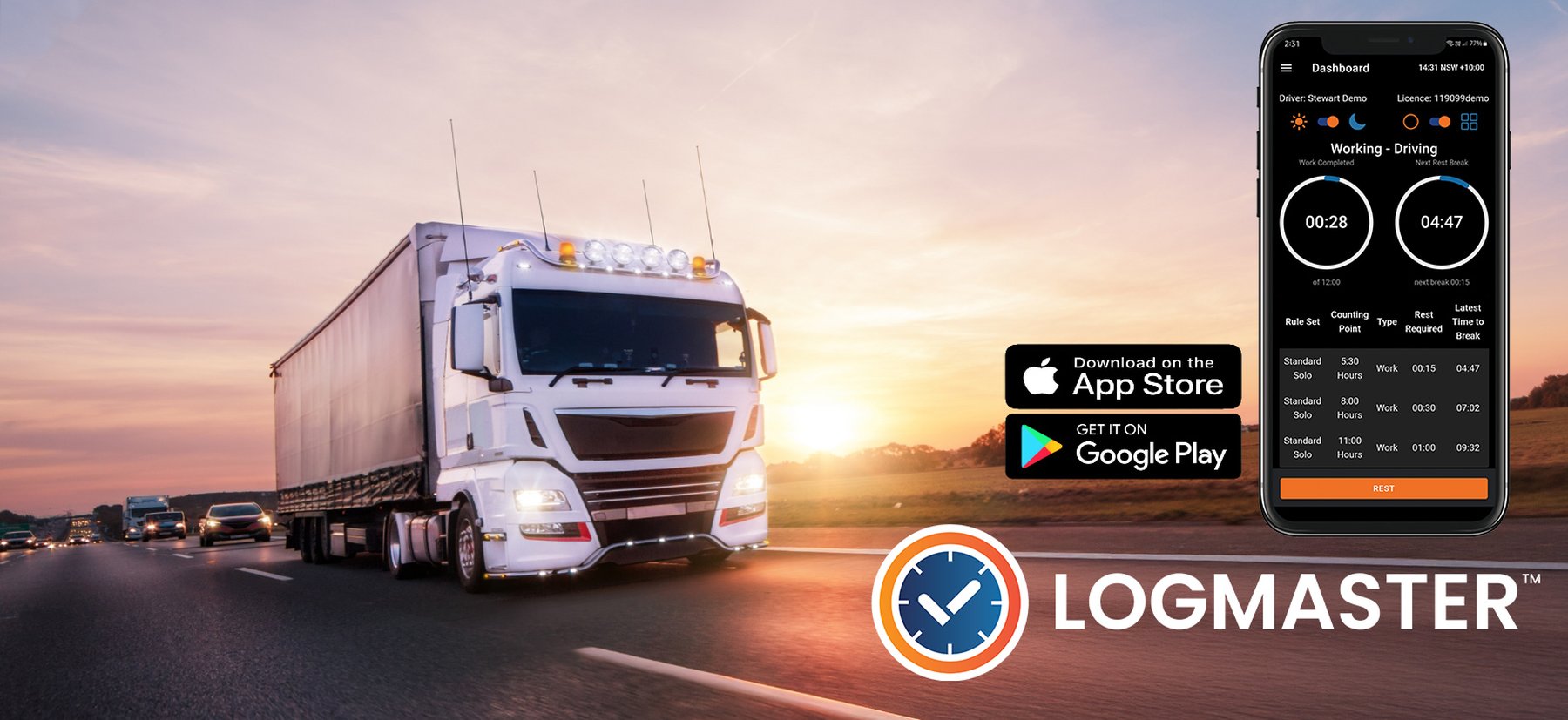
Logmaster is an NHVR-approved Electronic Work Diary (EWD) and fatigue management platform for heavy vehicle operators in every Australian state, including Western Australia. Drivers record their work and rest in the Logmaster app instead of a paper work diary. Record keepers and compliance managers see that information in the Logmaster portal, with alerts, reports and the tools to manage fatigue across the fleet.

‍

The V-DAQ integration connects your V-DAQ telematics to Logmaster. Vehicle details, odometer readings and GPS positions flow from V-DAQ into your drivers' work diaries and your compliance checks, so the two systems tell the same story.

‍

Key Benefits:

‍

Replace the paper work diary. Logmaster is approved by the NHVR as an Electronic Work Diary (approval LOLO-2025-009). Drivers record work and rest on their phone. Every entry carries its time and location, and the record can be shown to an authorised officer at the roadside.

‍

Prevent breaches, not just record them. The app knows each driver's fatigue plan and counts down to their next required rest. Drivers are warned by voice, pop-up and phone notification before a rest break falls due, and again if they go into breach.

‍

Know about problems straight away. When a driver breaches, edits an entry or fails a pre-start check, the business is alerted in the portal, by email, or both. Alerts can be acknowledged and noted, which builds a record of how each issue was handled.

‍

Less admin for compliance teams. Compliance, breach, forms and vehicle reports can be run on demand or scheduled weekly or monthly by email. NHVR and WA compliance reports are built in.

‍

One system for NHVR and WA. Logmaster supports national and Western Australian fatigue rules, including drivers who move between them.

‍

Better data from your trucks. With V-DAQ connected, odometer readings come from the vehicle, and Logmaster checks recorded rest against where the truck actually wen

‍

‍

Features and capabilities

For drivers (the Logmaster app, Android and iOS)

‍

  • Record work and rest, with time, location and odometer on every entry.
  • Fatigue plans: NHVR Standard Hours (including bus and two-up), BFM solo and two-up, AFM, and the WA plans (14 Day Solo, 28 Day Solo, 7 Day 2-Up and 48 Hour 2-Up).
  • Rest-break countdown and breach warnings by voice, pop-up and notification. Android also shows a floating countdown.
  • Logbook Planner: test a planned day against the driver's rules before setting off.
  • Two-up driving: record the co-driver's details, including by QR code scan.
  • Daily forms: pre-start, fitness declaration, end of shift, defect, hazard, incident and infringement.
  • Compliance Mode for roadside inspections: a read-only view that shows an officer the last 28 days.
  • Keeps recording with no mobile coverage. Entries upload once the phone is back in range.
  • Tamper protection: alerts when the phone's clock is changed or a fake location is used.
  • Apple CarPlay status screen.

‍

For record keepers and compliance managers (the Logmaster portal)

‍

  • Driver management: invite and bulk-import drivers, link contractors and self-employed drivers, and manage licences.
  • Alerts: driver breaches, entry edits, late locks, failed forms, fatigue plan changes, use of a defective vehicle and licence expiry, delivered to the portal, by email or both.
  • Optional early fatigue warnings that flag drivers approaching a limit before they reach it.
  • Trip Checker: test planned work against the fatigue rules before it happens.
  • Reports: NHVR, WA and quarterly compliance, breaches, forms, kilometres and time, vehicles, and edits to entries. Reports can be scheduled by email.
  • Fatigue Management module: investigations and non-conformance reports, accreditation records, registers and custom forms.
  • Fatigue dashboard map showing where each driver's entries were made.
  • Administration: users and roles, depots, devices and an activity log.

‍

What the V-DAQ connection adds

‍

  • Vehicle import. Bring in your V-DAQ vehicles with their registration and VIN, and link them to the vehicles in Logmaster.
  • Odometer auto-fill. The vehicle's odometer reading (in kilometres) is filled in on the driver's work and rest entries. The driver can check it before saving.
  • Rolling Rest Detection. Logmaster compares each recorded rest with the truck's V-DAQ GPS track. If the truck travelled more than the set distance during the rest (5 km by default, adjustable), the rest is listed in the Rolling Rest discrepancy report for the record keeper to review.

‍

How it works

‍

  1. Generate your API key in the V-DAQ platform.
  2. In the Logmaster portal, go to Admin > Connected Fleet > Add and choose V-DAQ.
  3. Enter the API key. Logmaster checks it with V-DAQ straight away.
  4. Link your V-DAQ vehicles to your Logmaster vehicles by registration.
  5. Choose the functions you want: Odometer, Rolling Rest Detection, or both.

‍

Why enable it

‍

Heavy vehicle operators carry the legal responsibility for managing driver fatigue. A paper diary only shows what went wrong after the fact, and checking hundreds of pages by hand is slow. Logmaster warns drivers before a breach, tells the business when one happens, and keeps the records an auditor or authorised officer will ask for.

‍

Connecting V-DAQ closes two gaps a work diary can't close on its own. Odometer readings come from the vehicle instead of being typed in. Rest periods are checked against where the truck actually went. Drivers save time, and record keepers get evidence they can rely on.

‍

‍

Data Integrations

Odometer Data
Live Tracking Data
Historical Tracking Data

Support

Already using Logmaster?

‍Ask your V-DAQ account manager for an API key and connect it under Admin > Connected Fleet in the Logmaster portal. Our step-by-step guide walks you through it.

‍

New to Logmaster?

Contact us at support@logmaster.com.au or visit www.logmaster.com.au to see how Logmaster and V-DAQ work together.

‍