Contents
Dockets
Capture kilometres and mass readings for every load, improving job costing, delivery records and invoicing.
Capture kilometres and mass readings for every load, improving job costing, delivery records and invoicing.
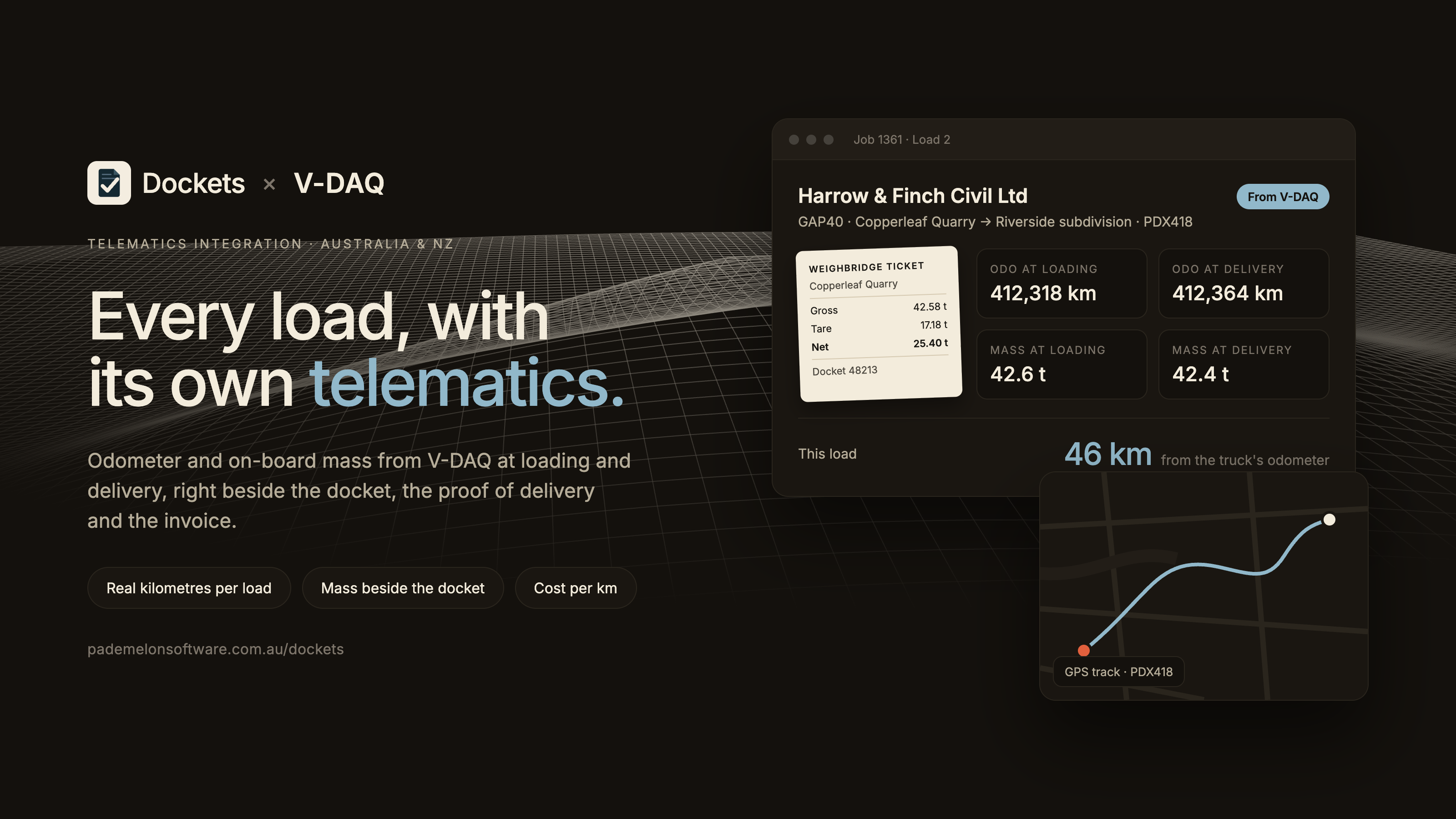
The Dockets integration with V-DAQ brings vehicle tracking, odometer and on-board mass data together with your everyday transport operations.
Built for bulk haulage and tipper operators, Dockets helps manage jobs from scheduling and digital dockets through to proof of delivery and invoicing.
By connecting with V-DAQ, operators can automatically capture vehicle kilometres and available mass readings for each load, view GPS routes alongside delivery records and better understand the true cost of each job.
With less manual data entry and more accurate job information, your team can spend less time chasing paperwork and more time keeping operations moving.
Capture vehicle odometer readings at loading and delivery, giving your team actual kilometres travelled for each load without relying on manual entries or estimates.
View available vehicle mass readings alongside digital dockets and weighbridge information, making it easier to compare load information and identify discrepancies.
See the route travelled for each job on a map, alongside delivery records and proof of delivery.
Understand what each job costs to run with Dockets' Cost Per Km reporting. Compare actual kilometres, vehicle running costs and job revenue to better understand profitability.
Bring vehicle data together with digital dockets, proof of delivery and invoices, keeping important job information in one place.
Use available V-DAQ odometer readings when recording fuel fills, reducing manual entry and helping maintain more accurate vehicle records.
To connect, you'll need an active V-DAQ account and a Dockets account, either on a free trial or subscription.
Simply generate your API key in the V-DAQ platform, add it to Dockets under Settings → Integrations, and match your vehicles using their registrations.
Once connected, supported vehicle data will automatically be available in Dockets as loads are recorded and delivered.
Available data depends on your vehicle and device configuration. On-board mass readings require compatible mass-enabled vehicles.
Start a free Dockets trial and connect V-DAQ in minutes: dockets.pademelonsoftware.com.au/get-started
For integration setup, availability or technical support, contact the Dockets team.
Website: pademelonsoftware.com.au/dockets